
Procure-to-pay for complex spend
For bills too complex to check by hand.
Cloud invoices, pay-as-you-go services and contracts whose rates change with tiers, discounts and commitments. Pleaxy reads your contracts and, for cloud, the usage your provider reported, and checks every invoice line against them before it's paid.
Moving from SAP Business Network, Coupa or Oracle? Bring everything with you
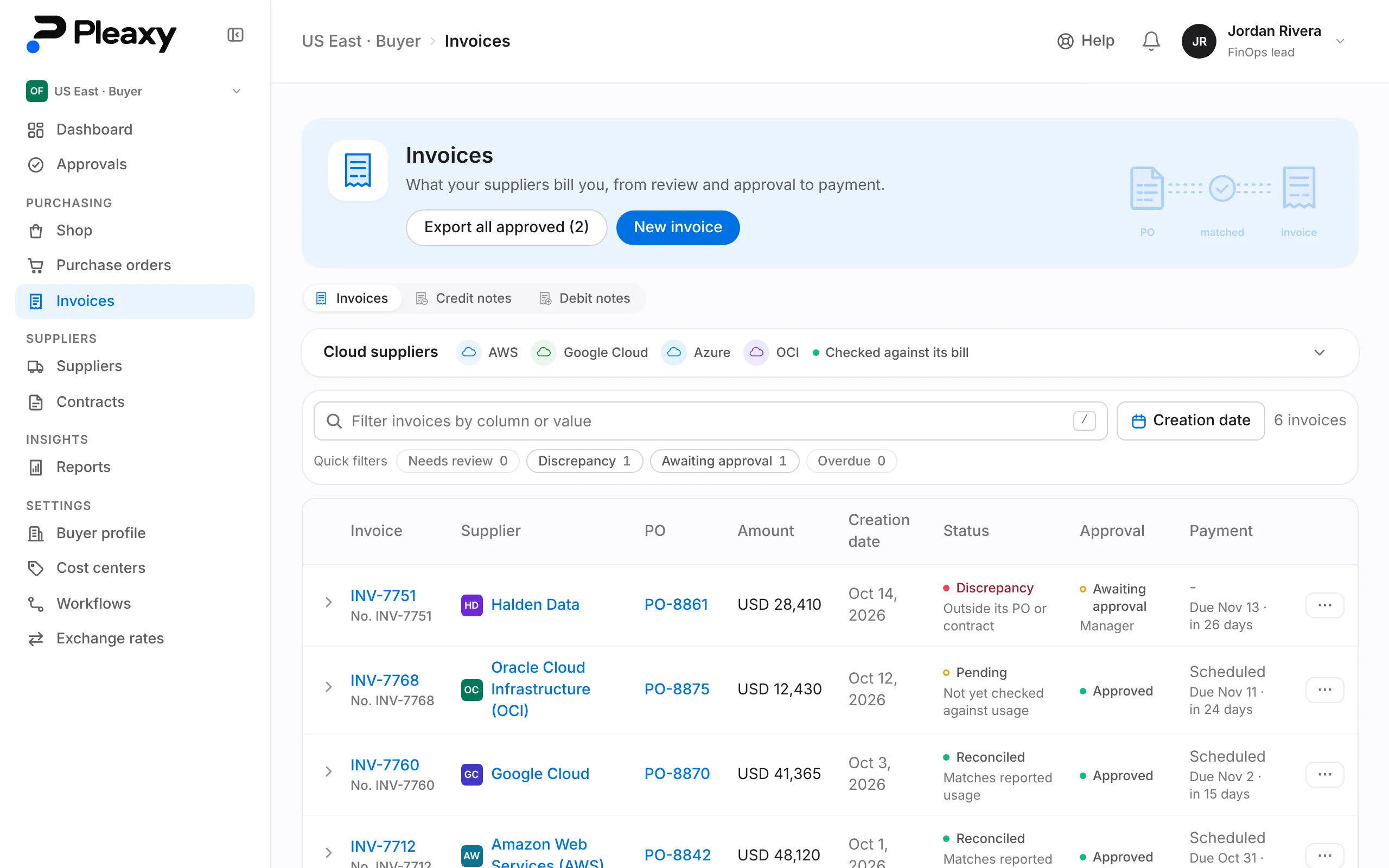
Use Pleaxy three ways: the SDK & API, an AI agent, or the web app.
Created PO-8842 and routed it to Manager and Finance. The invoice landed Oct 1:
AWS · Invoice INV-7712 · September
- Invoiced
- $48,120
- Metered usage
- $47,5401.2% under · within tolerance
- Purchase order
- $50,000Within budget
Auto-matched · approved · due Oct 31
Two purchase orders are at your stage. Tell me which to approve and I'll confirm before I do.
- PO-8851 · Figma
- $14,000Waiting 1 day
- PO-8853 · Halden Data
- $18,000Waiting 3 days
2 waiting on you
It doesn't match. It's billed well above the purchase order:
Beacon Metrics · Invoice INV-7730
- Invoiced
- $12,400
- Purchase order
- $10,00024% over · outside tolerance
Held · flagged for one reviewer
That matches the approved invoice, amount and supplier, so it's ready to pay. Open it and choose Pay with Stripe: you pay by bank transfer and cover Stripe's fee, so Halden Data receives the full amount.
Halden Data · Invoice INV-7745
- Invoice
- $18,000
- Bank transfer fee
- $5Stripe's fee, covered by you
Ready for you to pay with Stripe

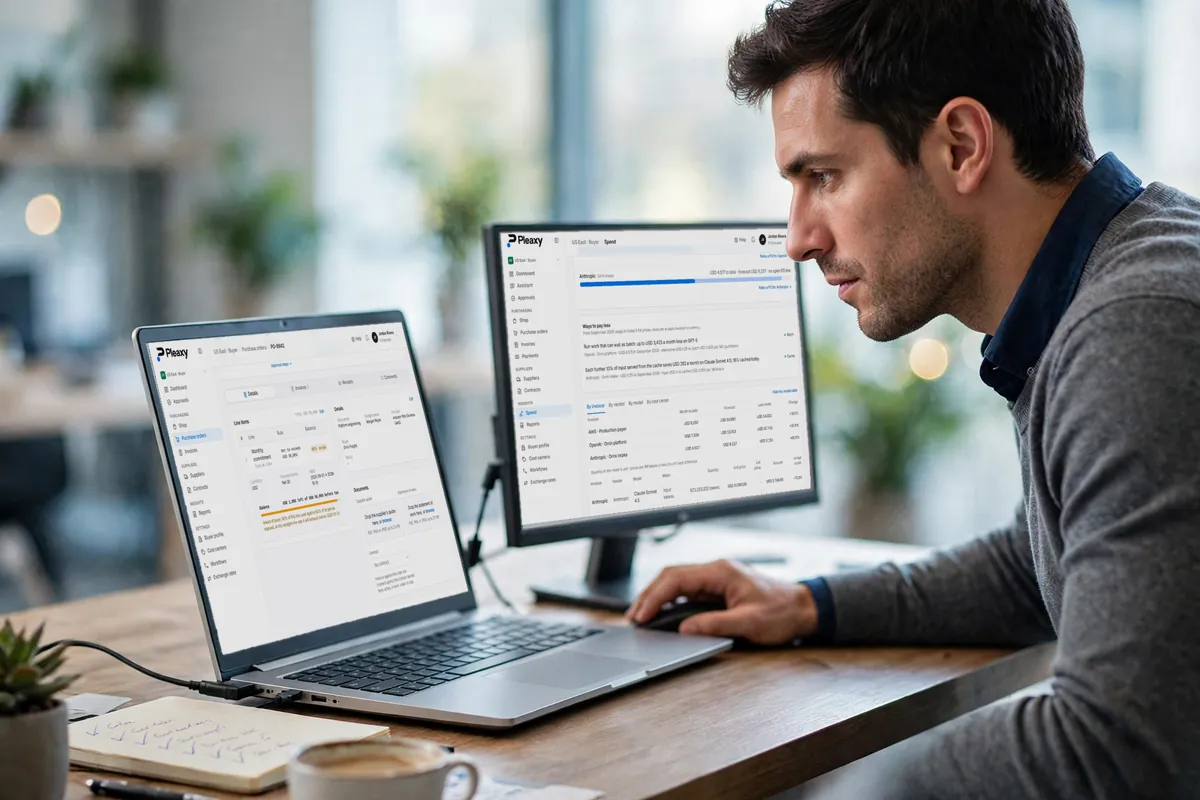
AI and cloud spend
Every AI and cloud bill, watched before it lands and checked when it does.
Cloud billing, AI providers and supplier invoices come in read-only. Pleaxy forecasts each month against its purchase order, matches every invoice against the PO, contract and usage, and the Pleaxy Assistant brings up what needs you.
Cloud billing 4 · read-only
Connected directly 7 · read-only key
Invoices 5 · matched to POs
Seats 3 · vs active users
A sample month with made-up figures. Tap a provider to watch it. Logos are trademarks of their owners.
How it works
From a supplier's invite to a paid invoice in four steps. Your team, your code or your agent can take any of them.
Connect
Halden, a supplier, joined free. Your cloud billing is linked read-only: Amazon Web Services (AWS), Google Cloud, Microsoft Azure or Oracle Cloud Infrastructure (OCI).
Invite any supplier - software, services, contractors - and they onboard free. Link read-only billing for Amazon Web Services (AWS), Google Cloud, Microsoft Azure or Oracle Cloud Infrastructure (OCI), and revoke it anytime.
- supplier_
connections. create
- supplier_
Order and route
PO-8842, $50,000, raised via the SDK. The manager approved it, then Finance. POs under $10k approve automatically.
Raise POs from code, the SDK, or agent chat. Approval chains decide who signs, anything under your approval threshold auto-approves, and the supplier gets the PO.
- purchase_
orders. create
- purchase_
Match
AWS sent INV-7712 for $48,120. Your usage was $47,540, 1.2% under, within tolerance. Matched.
Suppliers invoice from the PO or enter one in Pleaxy, and your team can record cXML, UBL, or PDF invoices too. Each is matched to its PO, cloud invoices to usage too; out-of-tolerance ones go to one reviewer.
- invoices.
run_ match
- invoices.
Pay and chase
AWS INV-7712, $48,120. Your agent nudged Finance, Finance approved it, and it pays Thursday, a day before it's due Friday.
Approved invoices go to your payment run on your schedule, and your agent nudges whoever's holding one up. Suppliers see where each invoice is and when a payment has been recorded.
- invoices.
record_ payment
- invoices.
Integrations
Pleaxy meets you where you are.
Keep the accounting system and the payment tools you already use. Pleaxy checks every invoice first, sends the approved ones on, and brings back what happened there.
- QuickBooks OnlineXero
Bills in your books, paid status back
Approved invoices arrive as bills with their PDF, booked to the accounts you chose. Pay them there and Pleaxy marks them paid.
- Stripe
Pay suppliers by bank transfer
Pay an approved invoice straight from Pleaxy, into the supplier's own Stripe account. You cover Stripe's fee, so the supplier gets the full amount.
- APIWebhooks
Using something else?
Connect NetSuite, SAP, Microsoft Dynamics or any other accounting system, ERP or bank through the Pleaxy API and webhooks: approved invoices go out as they're approved, and payments come back in. Tell us what you use, and we'll help you connect it.
The problems we're here to fix
Complex spend creates expensive mistakes. Pleaxy catches them.
Pleaxy connects what you agreed to, what you used, what you were billed and what you paid - finding discrepancies before payment and keeping buyers and suppliers looking at the same invoice. Each conversation plays as you reach it; send a question yourself to take over.
Paying more than you agreed to
- Buyers
- The problem
- Contract rates, negotiated discounts, credits and pricing changes don't always make it onto the final invoice. When thousands of line items are involved, small discrepancies can quietly become significant overpayments.
- How Pleaxy helps
- Pleaxy checks every invoice line against the rate in your contract and the PO it bills - holding anything priced above what you agreed before it's paid, and showing which term it broke.
Pleaxy Assistant
Procurement · Buyer
Assistant: Hi! Here's how I handle this one.Invoices that don't match actual usage
- Buyers
- The problem
- Usage-based services make invoices difficult to verify. The invoice may be mathematically correct while the underlying quantities, tiers, rates or commitments are not.
- How Pleaxy helps
- Connect your cloud billing read-only and Pleaxy compares each cloud invoice with the metered usage behind it - holding the invoice for review when the two don't agree.
Pleaxy Assistant
Procurement · Buyer
Assistant: Hi! Here's how I handle this one.Invoices with no PO - or not enough PO
- Buyers
- Suppliers
- The problem
- An invoice arrives before a PO is created, or the remaining PO balance isn't enough to cover it. The invoice gets blocked, approvals restart and payment is delayed.
- How Pleaxy helps
- Pleaxy draws down every PO as invoices land against it, so you always know what's left - and your agent can tell you when the next invoice won't fit, while there's still time to raise another PO.
Pleaxy Assistant
Procurement · Buyer
Assistant: Hi! Here's how I handle this one.Rejected invoices suppliers discover too late
- Buyers
- Suppliers
- The problem
- An invoice is rejected or blocked on the buyer's side, but the supplier may not know there's a problem until payment fails to arrive - adding days or weeks to resolution.
- How Pleaxy helps
- Pleaxy makes invoice status and rejection reasons visible, so buyers and suppliers can identify the issue, resolve it and resubmit without waiting for another payment cycle.
Pleaxy Assistant
Accounts receivable · Supplier
Assistant: Hi! Here's how I handle this one.

Cloud invoice audit
Start with last year's cloud bills.
Not ready to switch? Send us 12 months of cloud invoices and your contract. We check every line against what you agreed and hand you a report you can take straight to your supplier.
Request an audit
For suppliers
Invited by a customer? Joining is free.
Receive their POs, invoice straight from them, and see where every invoice stands - including why one was rejected - without chasing anyone.
How it works for suppliersOne purchase order, two copies - the buyer's and the supplier's
If you're on the buyer side - the team purchasing cloud spend - integrate the SDK or point an MCP-compatible agent at Pleaxy to create purchase orders, reconcile invoices against metered usage, and manage approvals from the tools you already use.
If you're on the supplier side - invoicing that spend - connecting costs nothing: receive POs, flip them to invoices, and let approved invoices settle on schedule.
For buyers
- Create & approve POs by API, SDK, or agent chat
- Auto-match invoices against metered usage
- Fixed API pricing - no percentage of spend
For suppliers
- Receive POs and flip them to invoices instantly
- 100% free - no subscription, no licensing
- Ask your agent to chase down a pending approval
Skip the code too - talk to your agent
Every Pleaxy action is also exposed over MCP, so any MCP-compatible assistant - Claude, an internal ops bot, whatever your team already runs - can create POs, run invoice matching, and chase approvals with the same permissions as your API key.
Pleaxy Assistant
Procurement · Buyer
Created PO-8842 for $50,000 against AWS - routed to Manager and Finance since it's over your $10,000 auto-approve threshold.
INV-7712 landed Oct 1. AWS invoiced $48,120, metered usage came in at $47,540 - 1.2% under and within tolerance, so it auto-matched and was approved without a review. Scheduled to pay Oct 31.
Pleaxy Assistant
Accounts receivable · Supplier
Two: INV-S-551 with Vance Refrigeration, pending 6 days, and INV-S-498 with Planet Express, pending 2 days. Want me to nudge Vance Refrigeration?
Sent. I'll nudge again in 24h if it's still pending.
The calls teams make first
Four things buyers and suppliers do from code, and exactly what each call sends.
Build a line-item PO against a cloud provider's public price list - no portal, no forms.
import { Pleaxy } from "@pleaxy/sdk";

const pleaxy = new Pleaxy({
  baseUrl: "https://api.pleaxy.ai",
  apiKey: process.env.PLEAXY_API_KEY,
  workspaceId: process.env.PLEAXY_WORKSPACE_ID,
});

// Called from the buyer's side - "supplier" is who you're
// purchasing from.
const po = await pleaxy.purchaseOrders.createPurchaseOrder({
  supplier: "Amazon Web Services",
  provider: "aws",
  lineItems: [
    {
      scopeType: "sku",
      scopeId: "AWS-EC2-M5LG",
      name: "EC2 m5.large",
      ruleType: "quantity",
      unit: "hr",
      unitPrice: 0.096,
      qty: 5_000,
      nteAmount: 0,
      paymentTerms: "Net 30",
      validFrom: "2026-01-01",
      validUntil: "2026-12-31",
    },
  ],
});

// po.status === "awaiting_fulfillment" once approved
Available in your language
Every SDK is generated from the same OpenAPI spec that powers the API Reference, so they stay in lockstep with the API - pick the six we maintain directly, or generate a client for anything else.
Switching to Pleaxy
Bring everything from your current procurement portal.
Export your suppliers and purchase orders from your current portal and import them into Pleaxy in bulk.
- SAP Business Network
- Coupa
- Oracle Fusion
- Jaggaer
- Zip
- GEP SMART
- Ivalua
- Zycus
- Basware
- Tungsten
- Workday
- Tradeshift
- Taulia
- Transcepta
- SAP S/4HANA
- Oracle NetSuite
- Microsoft Dynamics 365
- Infor
- Procurify
- Precoro
- Medius
- Esker
- SynerTrade
- Proactis
- Determine
- Corcentric
- Fairmarkit
- Vroozi
- Unimarket
- Spendesk
- Any other portal
Suppliers
- CSV
- XLSX
Checked against the suppliers you already have, so nobody is added twice. Anyone with an email is invited straight away.
Purchase orders
- CSV
- XLSX
One row per line item; rows that share a PO number become one order, with what it has already been invoiced. Created as drafts for you to review.
Contracts
- ZIP
Up to 200 PDFs at once, or a folder or ZIP, read into one list for you to review. Likely duplicates are flagged.
Your team
- CSV
- XLSX
People, approval chains and cost centers, imported by an administrator. Everyone is invited with their role.
Supplier catalogs
- CSV
Your suppliers upload their whole catalog at once, so buyers can order catalog items from day one.
- You see what every row will become, and fix what can't be read, before anything is created.
Stop paying for charges nobody checked.
Connect your suppliers and contracts, and let Pleaxy hold what doesn't match before it's paid.